"Did you see my text about Friday?"
Know they saw it.
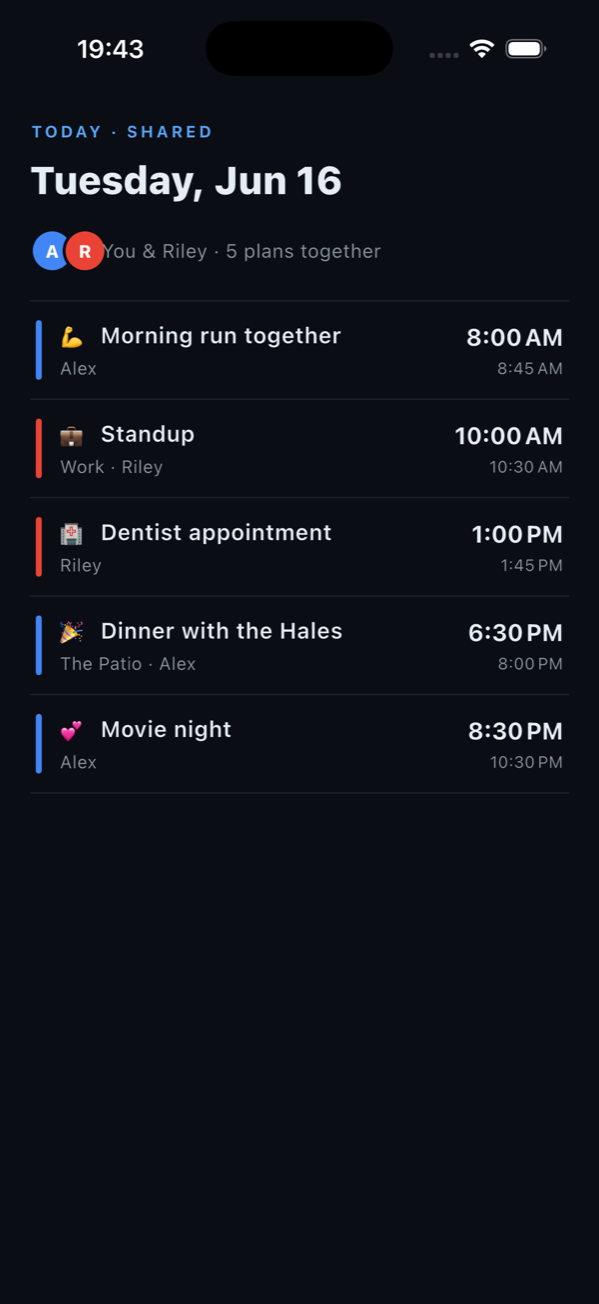
Chronomore is the shared calendar that closes the loop: reminders they acknowledge, leave-on-time alarms that watch traffic, and one timeline that syncs both of your work calendars, Google and Outlook, both ways.
Your people · Your plans · Your time
Walkthrough narration, music, and some imagery are AI-generated. The voice is synthetic, not a real person. The footage is an early demo and may differ from the final app.
Sound familiar?
Built for the conversations you keep having
A shared Google Calendar shows you boxes on a grid. Chronomore was built for what actually goes wrong between two busy people.
Read receipts & acknowledgments
"You never told me about dinner Saturday."
Every shared plan carries seen-it receipts, and important ones ask for an acknowledgment, with nudges that escalate until they get one. Not another notification into the void: a loop that closes.
So the plan stops dying in the group chat, and nobody relitigates who told whom.
Leave-on-time alarms
"We need to leave. Now."
Put a place on a plan and Chronomore watches the drive time and the traffic, then rings a real alarm when it is actually time to go. Outdoor plans carry the weather right on the event.
The difference between "we should leave soon" and walking out the door on time.
Two-way sync · Google and Outlook
"My work calendar is on Outlook. Hers is on Google."
Chronomore is the only couples calendar that connects both ecosystems, in both directions. Work events flow in as busy time, shared plans flow back out to the calendar each of you actually lives in, within seconds.
No copying events by hand. No screenshots of calendars. No "wait, were you free that night?"
CALENDAR
CALENDAR
Plans that plan themselves
"So... what are we doing Friday?"
Run a quick poll to pick a time everyone can make, or let the planner find the evenings you are both actually free and suggest something from the places you already love.
Coming to Chronomore Plus: an AI date-night planner that turns your mutual free windows into real suggestions nearby, so date night stops being a planning meeting.
AI features are in development and may change before release.
Memories & journal
"I want to remember this one."
After the plan comes the memory: save a photo and a note on the events that mattered, keep a private journal alongside the shared life, and mark the milestones that come around every year.
A calendar remembers what you did. Chronomore remembers how it felt.
"Why not just share a Google Calendar?"
A grid can't close the loop
Shared calendars show events. They don't know whether your partner ever saw one, and they will never follow up. Chronomore's receipts and acknowledgments end the "I told you" argument.
It can't bridge two work lives
If one of you is on Outlook at work and the other on Google, no shared calendar covers you both. Chronomore syncs both ecosystems, both directions, into one timeline.
It doesn't know the traffic
An event at 7 is not the same as leaving at 6:24 because Route 9 is jammed. Chronomore rings when it is actually time to go, and puts the weather on the plans that need it.
Free to start
One subscription covers both of you
The shared calendar is free, forever. Chronomore Plus adds the engine: when one of you upgrades, the household benefits light up for your partner too.
Free
Chronomore
Everything two people need to stay in sync.
- The shared timeline: day, 3-day, agenda and month views
- Reminders with receipts, acknowledgments and smart alarms
- Google Calendar overlay: see work busy time alongside shared plans
- Checklists, polls, photos and comments on every plan
- Widgets and Apple Watch
- Private journal & memories
Chronomore Plus
The engine
For the couple that runs their life on it. Pricing announced at launch.
- Write-back mirroring: shared plans appear in your Google or Outlook calendar automatically
- Outlook connection for work calendars
- Drive-time alarms with live traffic, and weather on your plans
- Share any event with a public link and guest RSVP
- More circles for the rest of your people
- AI date-night planner · coming to Plus
The household rule: one Plus subscription lights up the shared benefits for the person you share a circle with. Two people, one price.
Questions
Before you ask
When can I get it?
Does it work if one of us has an iPhone and the other has Android?
We already live in Google Calendar and Outlook. Do we have to move?
Is our stuff private?
Do we both have to pay for Plus?
Stop asking "did you see it?"
Your people · Your plans · Your time